Research Prototype Build Not For Sale
I/US Music® Presents

LIVE CORE

Official Research Prototype Demo V3.0.0. Live Core converts the Live Core hypothesis into a structured, observable, repeatable software model with state logic, gates, visual response, sound response, and exportable records.

Request Demo Download Catalogue Research Paper 1 Research Paper 2

Live Core. Official Research Prototype Demo V3.0.0. Research software model. Future physical validation requires calibrated measurement.


Product Overview

LC-7X DEMO.

Live Core is not presented as a completed physical core. It is an official research prototype that converts the Live Core hypothesis into a structured, observable, repeatable software model.

Most audio tools are designed around tone, modulation, reverb, delay, or synthesis. Live Core is different because its main structure is a research model. It uses sound as one output of the model, but the central idea is the staged relationship between field, phase, matter-state proxy, confinement, instability, and hypothesis-candidate behaviour.

Research Model

Live Core creates a research-facing interface for a hypothesis that is otherwise difficult to test physically at this stage. The software model makes the hypothesis inspectable, repeatable, audible, visible, and exportable.

State Logic and Gates

The model uses staged software gates to move between inactive, phase-seeking, stable, plasma-proxy, instability, and recovery states. Advanced states should appear only when earlier model conditions support them.

Structured Signal Response

Sound is used as a response channel, not as proof. When the model changes, the sound changes, allowing state transitions, instability, recovery, and projected output behaviour to be heard and compared.

Exportable Records

Monitor and export functions support documentation, review, comparison, and repeatable walkthroughs. The records describe software model states and normalized proxy variables, not completed physical events.


From software model to physical validation path

The next research update moves Live Core closer to a future physical validation path without presenting the current app as final proof. The planned direction is to connect equations, units, calibration status, sensor input, external comparison, research dossiers, and safety boundaries to the existing software model.


Research Function

The hypothesis is converted into staged model behaviour.

The Research Function moves from field excitation to phase seeking, stable phase lock, ionization readiness, density compression, sheath and confinement build, core plasma proxy formation, hypothesis candidate, instability, and cooling recovery. The application should not show advanced states unless the earlier model gates support them.

01
Field and Phase

Field energy, electric drive, phase steering, correction, lock, spread, and continuity determine whether the model behaves as a coherent phase system or remains unstable and searching.

02
Matter-State Proxy

Density compression, sheath strength, confinement, thermal consequence, pressure, and current-channel behaviour determine whether the model can move toward a more internally active core condition.

03
Hypothesis Candidate

A hypothesis candidate is a software model state produced by staged gates and normalized variables. It is not public proof of physical Live Core completion.

04
Recovery Behaviour

Instability and cooling recovery matter because they show whether the model can leave a high-activity condition, reduce output stress, and return to a controlled software state.


Application Interface

Every page controls or explains part of the model.

This interface is not presented as a normal audio effect screen. Every page is used to understand, control, project, monitor, and record the current software model state.
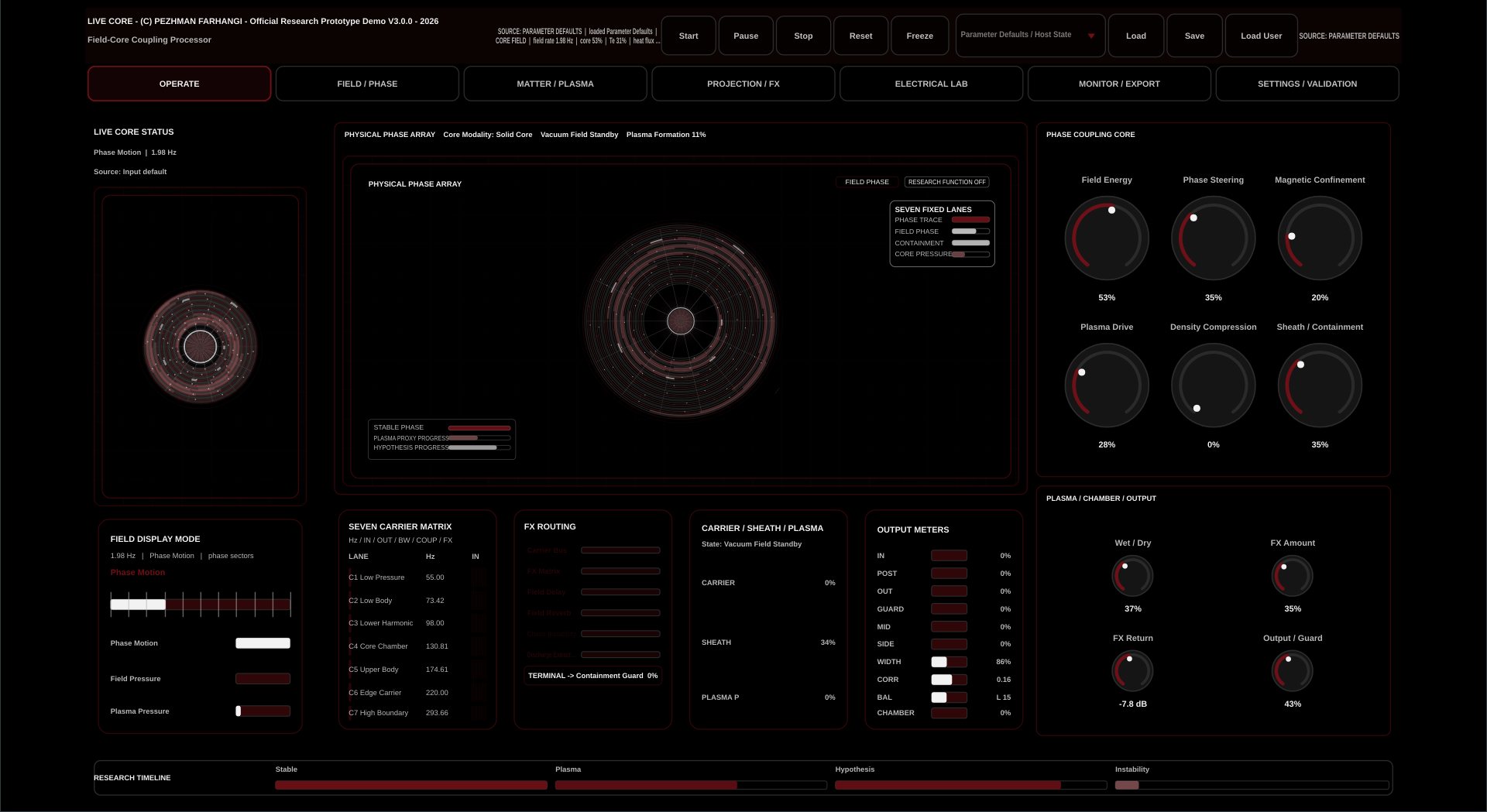
Live Core Operate page preview

Operate Page

The main overview and performance page. It shows the global state of the model, the phase array, carrier behaviour, output meters, and research timeline. It helps the user see whether the model is inactive, stable, moving toward plasma-proxy activity, or entering stronger projected output.

Live Core Field and Phase page preview

Field and Phase Page

The field and phase control area. It affects field energy, electric drive, phase steering, phase correction, phase lock, phase spread, and field continuity. This page determines whether the model behaves as a coherent phase system or remains unstable and searching.
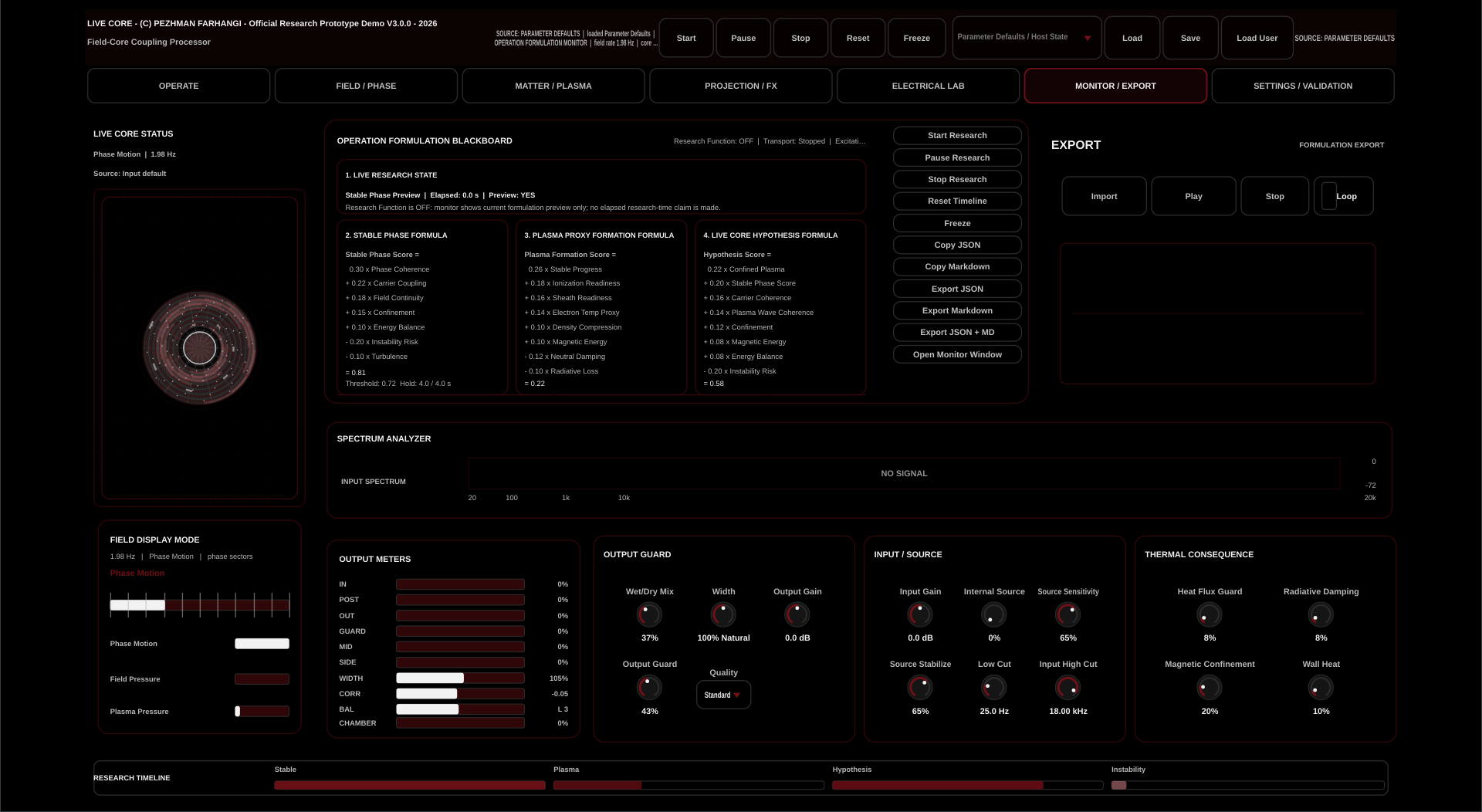
Live Core Monitor and Export page preview

Monitor and Export Page

The explanation and evidence page. It shows the current research state, formula scores, timeline, spectrum, output meters, and export tools. It is used to document what happened rather than to make exaggerated claims.

Matter and Plasma Page

The matter-state and plasma-proxy control area. It affects density compression, sheath strength, confinement, thermal consequence, plasma pressure, and current-channel behaviour. This page determines whether the model can move from field activity into a more internally active core condition.

Projection and FX Page

The output projection area. It converts model behaviour into audible delay, chamber, discharge, reverb, width, and output character. This page shapes what the listener hears from the model.

Electrical Lab Page

The future research extension for structured electrical coupling. It should allow waveform, frequency, phase, polarity, pulse width, amplitude, and transfer mode to affect the software core through inject, hold, sustain, release, discharge, and damp behaviour.

Settings and Validation Page

The control and safety page. It manages theme, language, validation state, calibration status, output guard behaviour, and future research safety boundaries.


Signal and Sound Response

Sound is not used as proof. Sound is used as a response channel.

When the model changes, the sound changes. This allows the user to hear transitions, compare states, and identify instability or recovery behaviour. The audio output helps the research process because it exposes the model dynamically, but it does not replace physical measurement.

Audible State Change

Changes in phase, field continuity, confinement proxy, and output projection can be heard as structured signal response. The sound makes the model easier to inspect during a walkthrough.

Comparison Channel

Presets and exports allow different software model states to be compared. The purpose is repeatability and documentation, not a claim that the audio itself confirms physical behaviour.

Research Boundary

The current app uses normalized proxy variables and structured output response. Future calibrated sensors and external comparison are required before physical validation language can be used.


Live Core research demo presets

LIVE CORE RESEARCH DEMO PRESETS

The preset bank is used as a scientific walkthrough of software model state progression. It helps demonstrate how the research prototype moves from calibration and phase seeking toward plasma-proxy activity, hypothesis-candidate behaviour, instability, recovery, and charge-sign inversion proxy.

Preset 00. Monitor Calibration and Null Core.

Preset 01. Field Excitation Rising.

Preset 02. Seven Layer Phase Seeking.

Preset 03. Stable Phase Lock.

Preset 04. Magnetic Activity Sweep.

Preset 05. Ionization Readiness.

Preset 06. Density Compression.

Preset 07. Sheath and Confinement Build.

Preset 08. Core Plasma-Proxy Formation.

Preset 09. Confined Plasma-Proxy plus Hypothesis Candidate.

Preset 10. Instability and Cooling Recovery.

Preset 11. Charge-Sign Inversion Proxy.


Demo, Catalogue, and Contact

Review the catalogue or request access.

The user catalogue explains how the application works, how each page affects the sound and final outcome, and how to work with Live Core in standalone, VST3, live, and research demonstration contexts. Demo access is handled directly through I/US Music.


Research References

Research papers for reference.

Both SSRN research references are visible here. They provide context for the theoretical basis of the core model, structured energy, phase-steered coupling, and the Live Core PSE research direction. These references support the research context; they do not turn the current software model into completed physical validation.