IUS DX-1 · Source Mixes · Groove Profile · Arrangement Timeline · Hybrid Engine
IUS Music®
IUS Music® Official Instrument Series
IUS DX-1Rhythm first drum production system

IUS DX-1 Drum Production System
Build full-track drum arrangements from source mixes, groove capture, and editable MIDI.
IUS DX-1 gives producers a focused desktop workflow for generating complete drum source mixes, capturing timing and density from live input, arranging song-length drum parts, and refining MIDI, effects, routing, soundbanks, and exports in one place.
Designed for producers who want editable drum production, not fixed static loops.
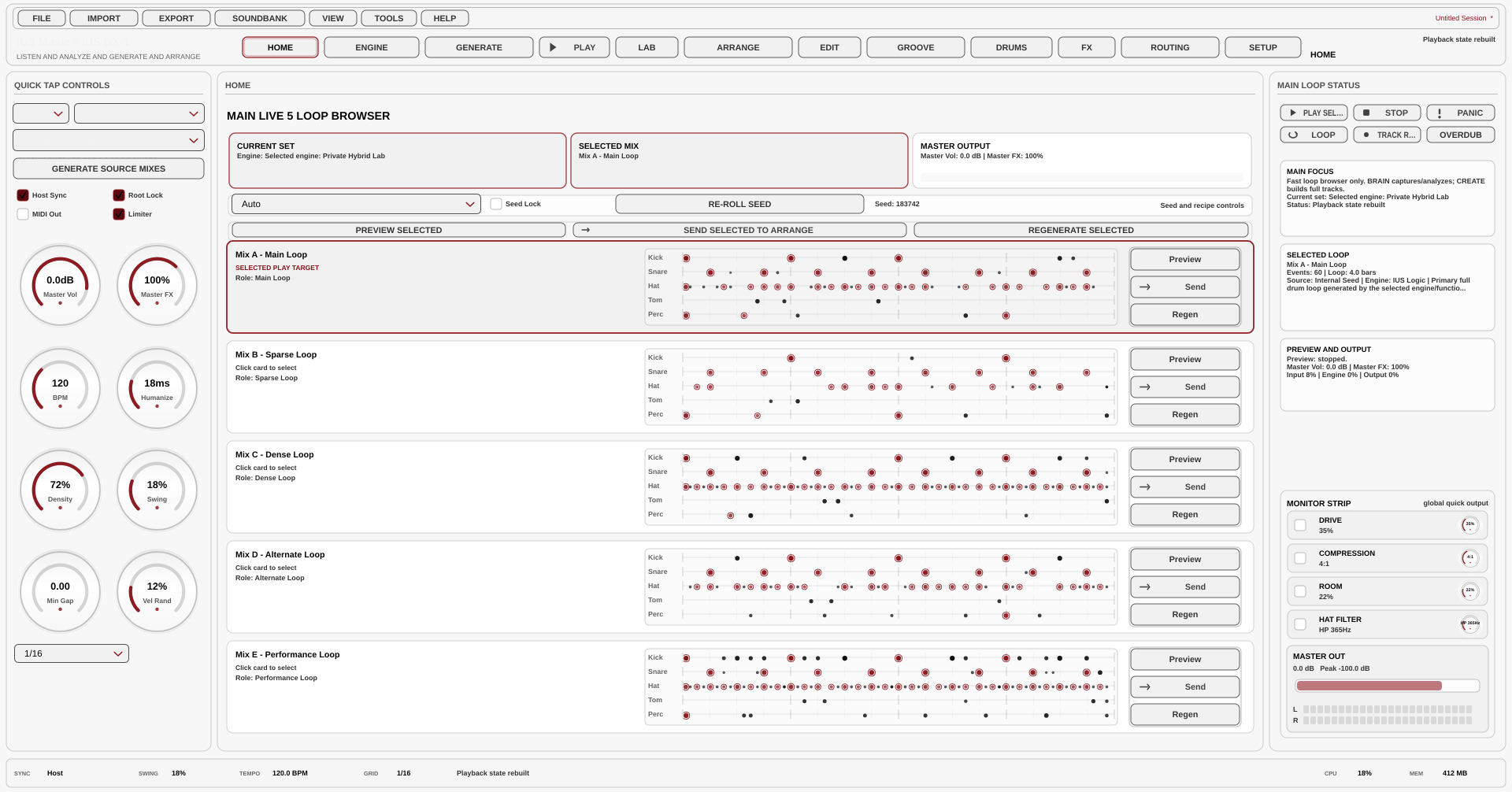
Generate
Create five complete full-kit source mixes for flexible production starts.
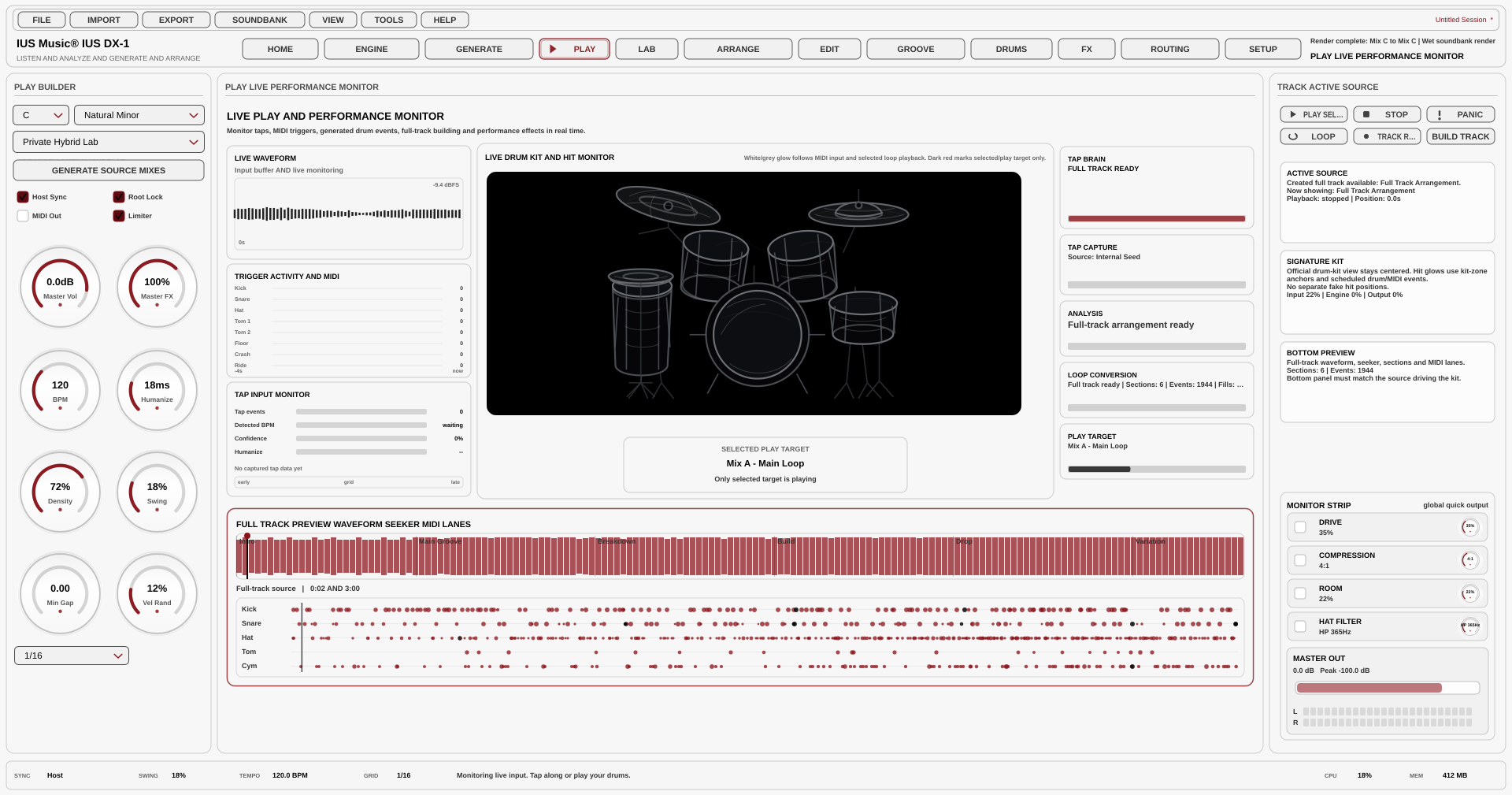
Capture
Record MIDI or percussive input and preserve timing, density, and feel.
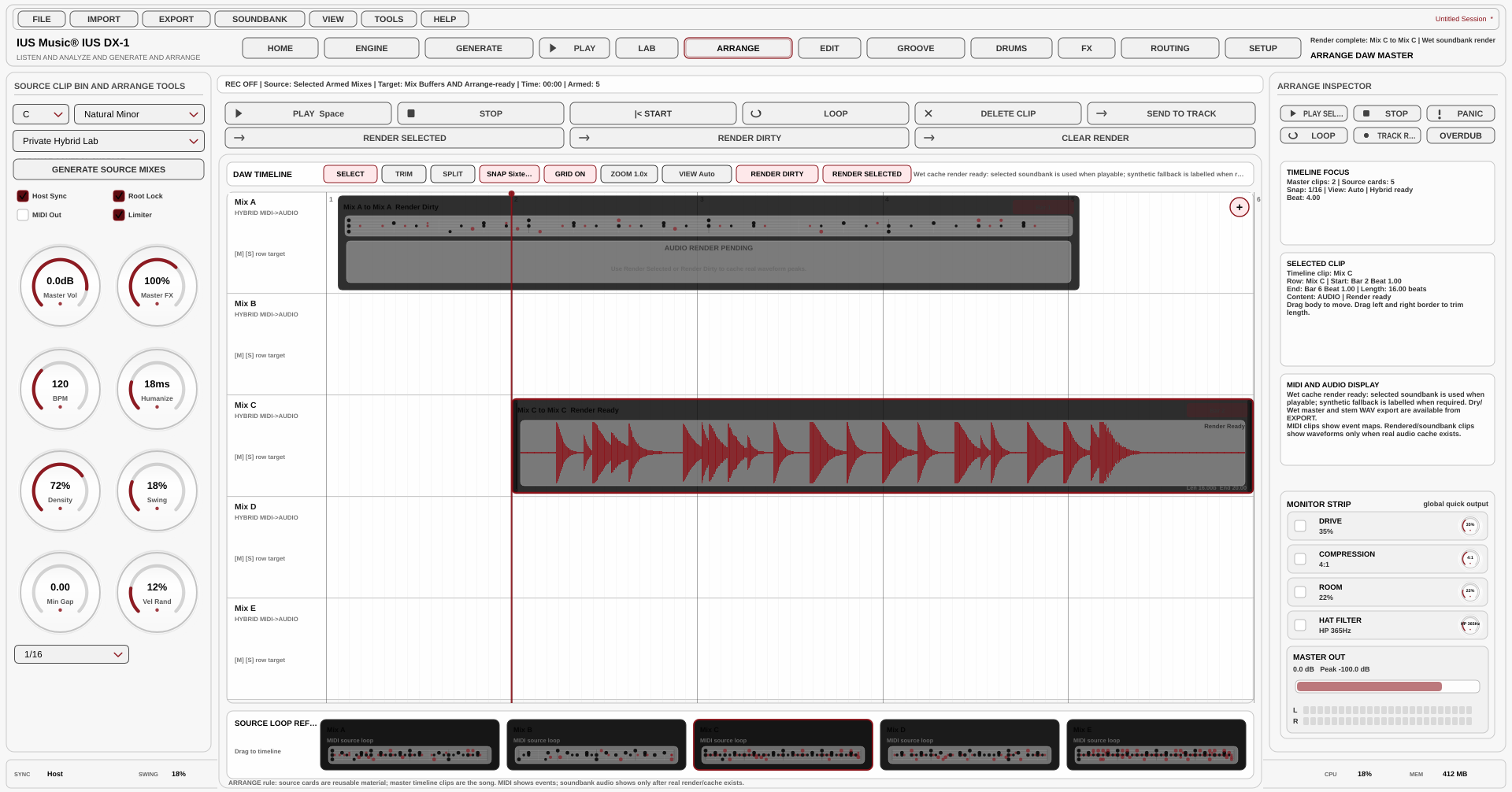
Arrange
Build full-length drum timelines with editing, rendering, and export workflows.
Five full-kit source mixes
Live MIDI and groove capture
DAW-style arrangement timeline
MIDI, groove, and drum shaping pages
Effects, routing, soundbanks, private models, and LAB tools
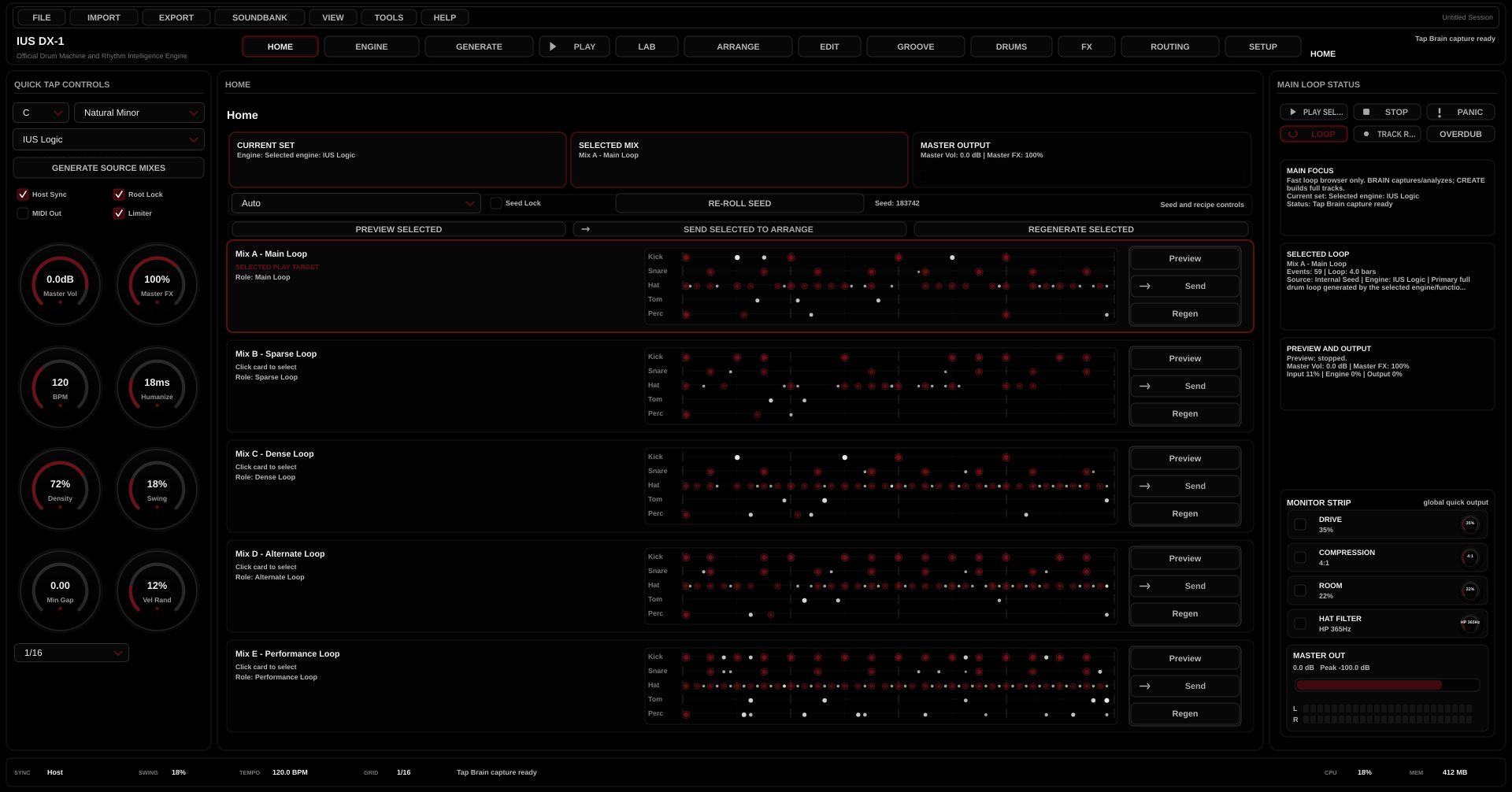
HOME
Generate, preview, regenerate and send five complete source mixes. HOME is the fastest route to usable drum material.
- Generate Source Mixes
- Preview selected card
- Regenerate a single idea
- Send to arrangement
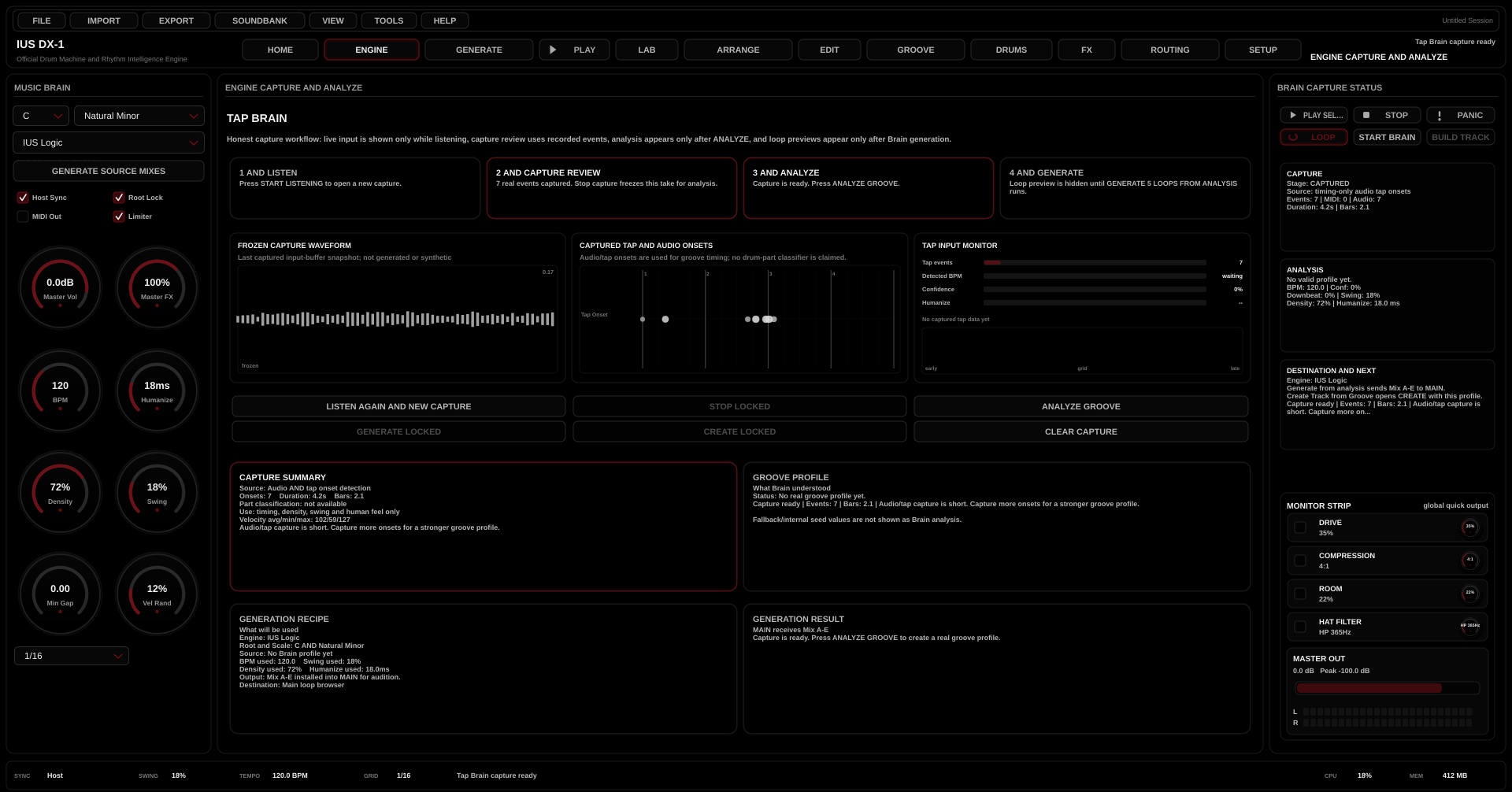
ENGINE
Capture live MIDI or percussive audio, analyze the feel and convert the Groove Profile into loops or a longer drum track.
- Start listening
- Analyze groove
- Generate 5 loops from analysis
- Create track from groove
GENERATE
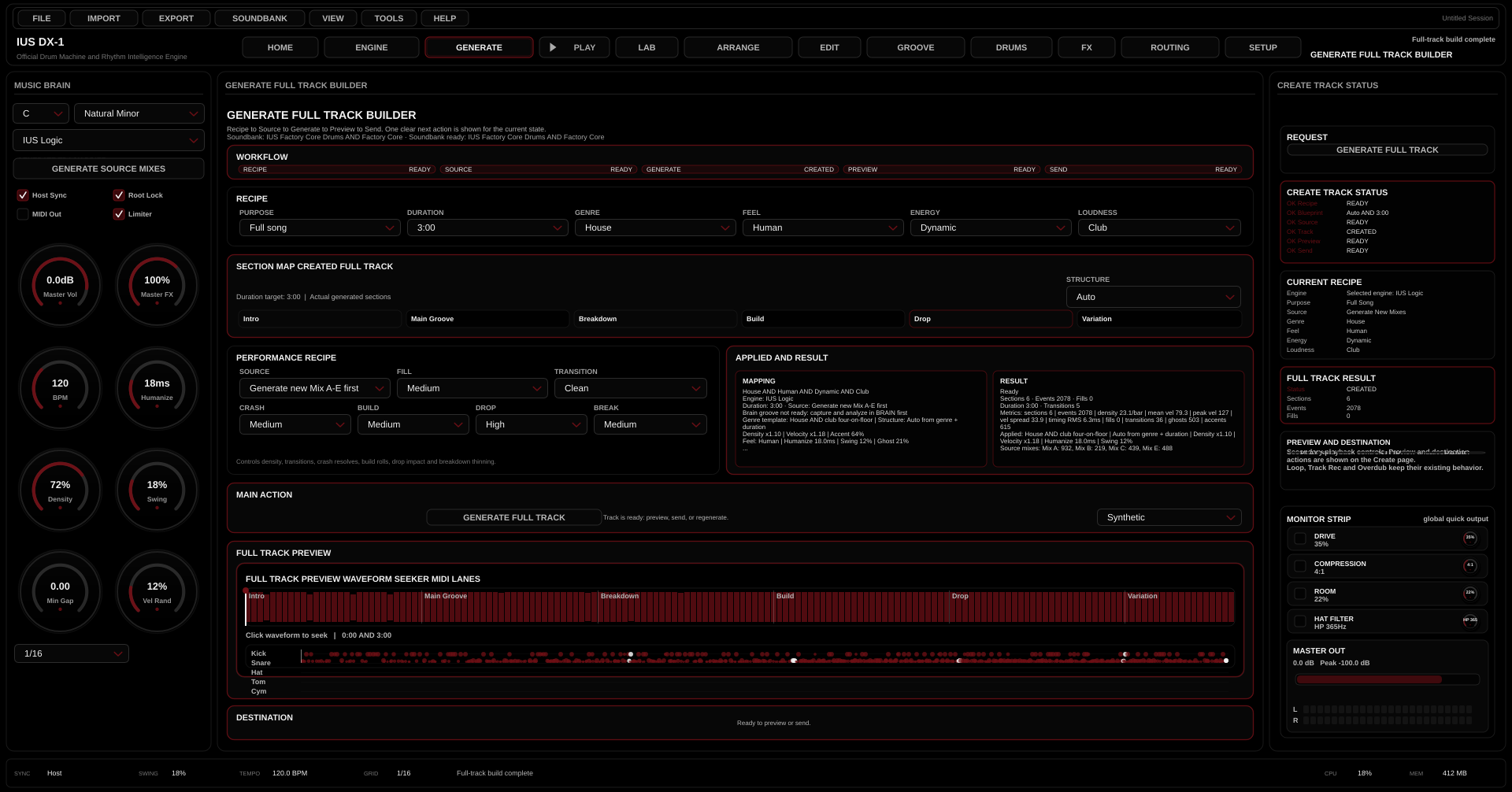
Turn a musical brief into a longer drum structure using purpose, duration, genre, feel, energy, source, fills and transitions.
- Full song or section
- Genre and energy controls
- Use selected mix or Brain profile
- Preview and send
ARRANGE
Build the song-level drum structure by dragging source cards onto a timeline, then trim, split, loop, render and send onward.
- Source pool
- Master timeline
- Render selected and dirty
- Snap and clip gestures

EDIT and GROOVE
Edit MIDI drum lanes, correct velocity, quantize events, then apply timing, pocket, swing, density, humanize and Groove Lock settings.
- Select, draw and erase
- Velocity and quantize
- Pocket and swing
- Apply selected or all mixes
DRUMS, FX and ROUTING
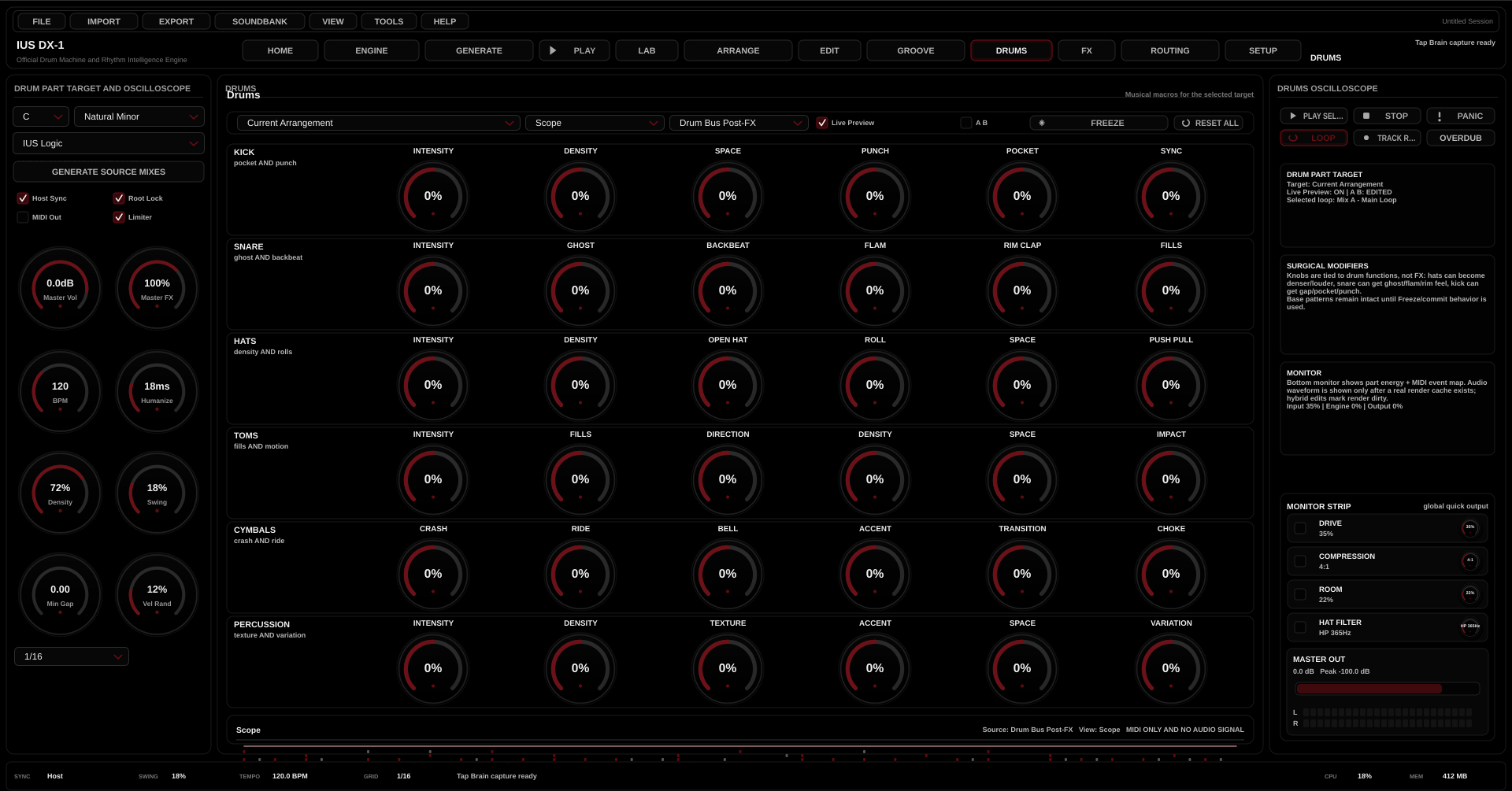
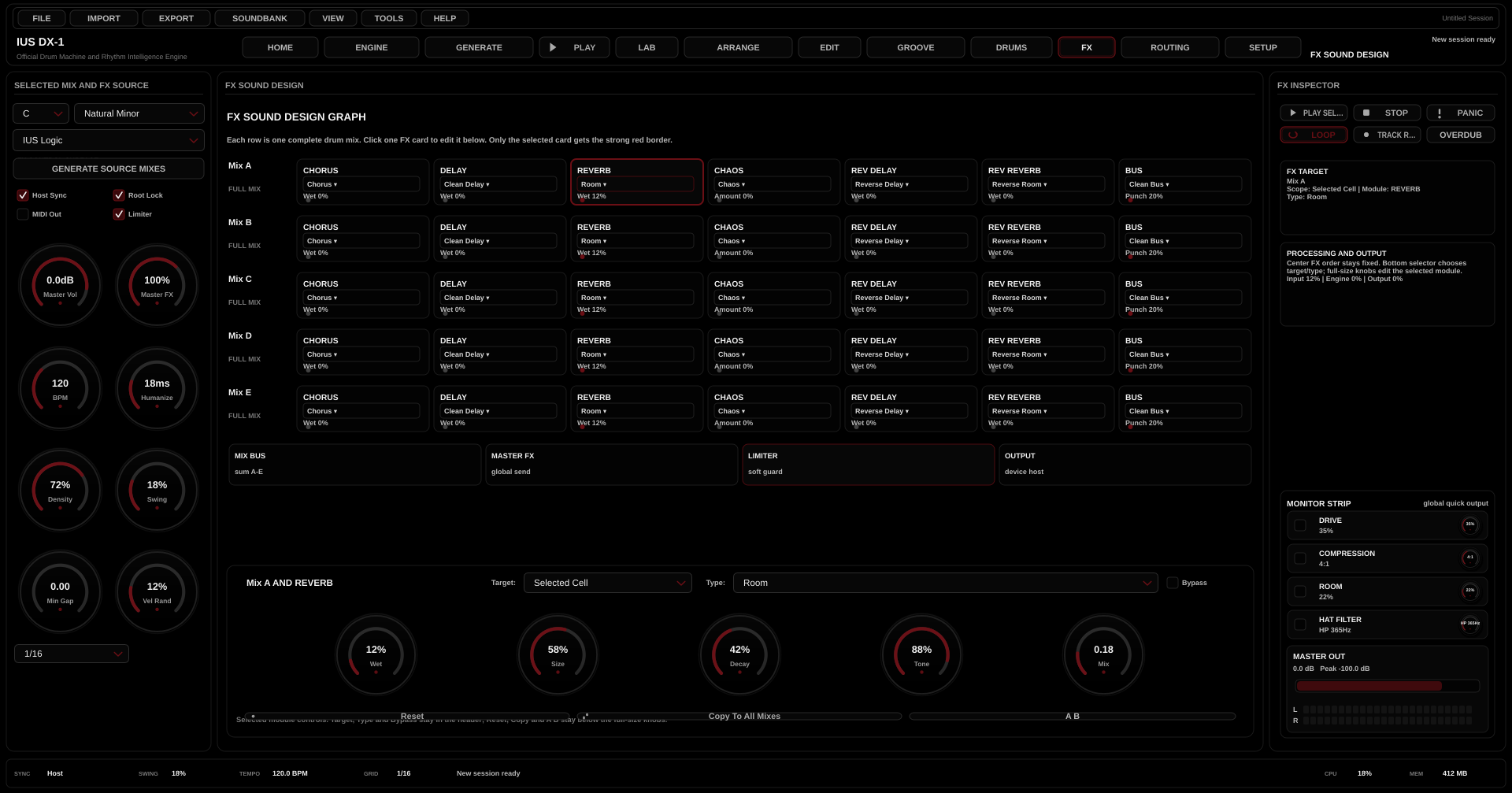
Shape kick, snare, hats, toms, cymbals and percussion, then process the result through effect modules and route each mix through send targets.
- Part modifiers
- Chorus, delay, reverb, chaos
- Reverse effects and bus
- Pre and post route control
LAB and SETUP
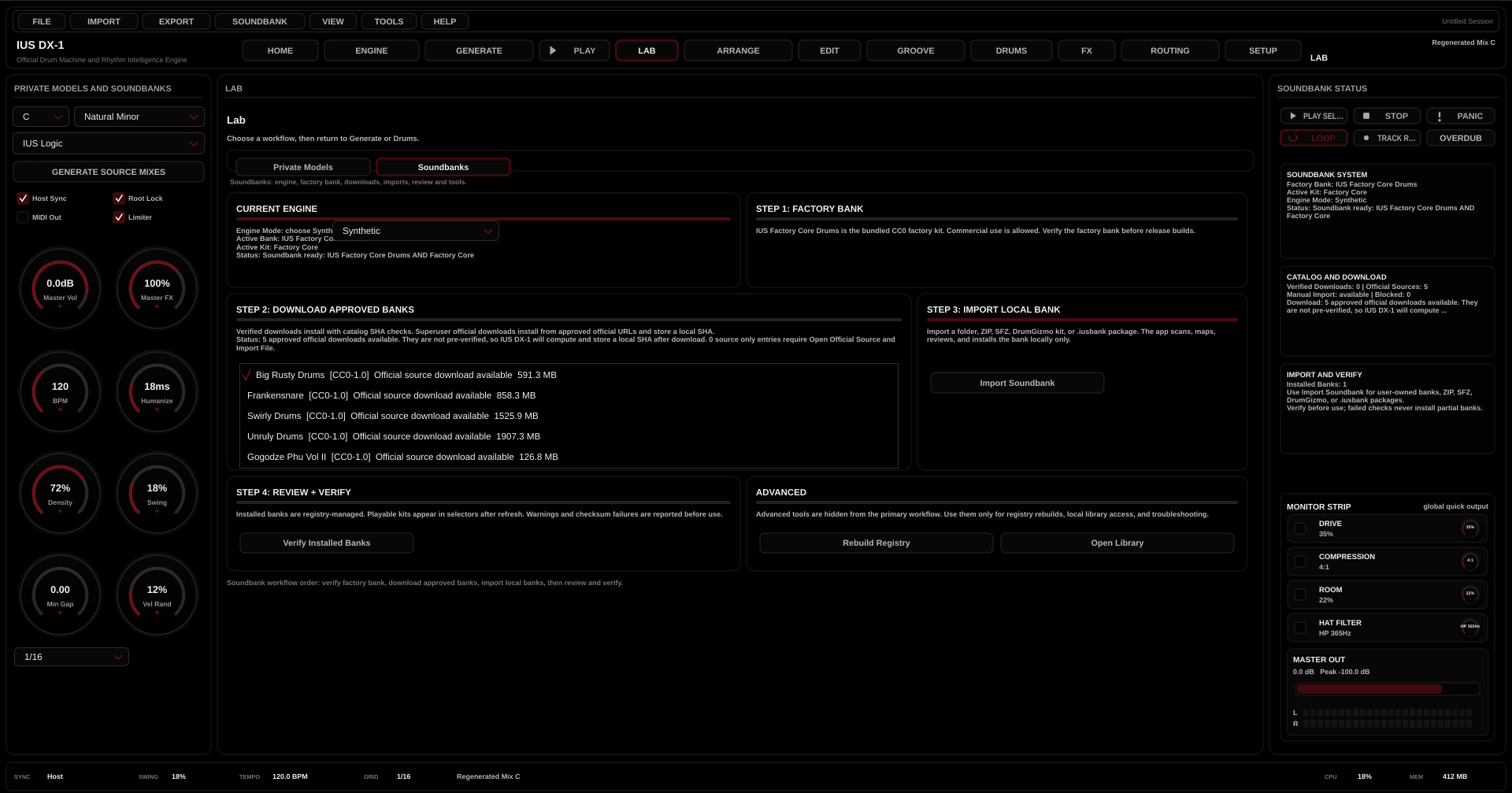
Use LAB for private models, online model downloads, local model imports, runtime status, soundbanks, verification and downloads. Use SETUP for device state, host sync, limiter, MIDI out and soundbank actions.
- Open private model catalog
- Download, verify, select and arm models
- Verify installed banks
- Standalone and host-managed setup
Trial Demo and Author Contact
Request DX-1 Demo Access
Request a demo by contacting the author on: iusmusics@gmail.com. Demo access is handled by the author only.
1Request Demo
2Contact Author
3iusmusics@gmail.com
IUS DX-1 · Lab · Private Models · Download · Verify · Arm
private-models.mp4
Limited Trial Demo
REQUEST DEMO.
CONTACT AUTHOR.
IUS DX-1 demo access is available by request only. To request a demo, contact the author on: iusmusics@gmail.com.
Demo request by email
Contact the author to request access.
To request a demo, contact the author on: iusmusics@gmail.com. Demo access and any evaluation instructions are handled by the author.
- Request DemoContact the author on: iusmusics@gmail.com.
Demo requests are handled by email. Contact the author on: iusmusics@gmail.com.
Demo request
The website provides demo request information. Demo access is handled by the author.
Email code activation
No password is required. The server sends a short verification code to the user email.
Server-timed expiry
The 24-hour limit, start time and expiry are decided online by the IUS Music server.
Request a Demo
Request Demo
Contact author
To request a demo, contact the author on: iusmusics@gmail.com.
--
Demo requests are handled by email. Contact the author on: iusmusics@gmail.com.
Demo request status: contact the author on iusmusics@gmail.com to request a demo.
License details are provided with the official package and customer documentation.
Author contact: iusmusics@gmail.com
- Demo requests: contact the author on: iusmusics@gmail.com.
- Trial access: demo requests remain available from this page.
- License details: License details are provided with the official package and customer documentation.
What DX-1 Actually Does
FROM RHYTHM IDEA
TO DRUM ARRANGEMENT
DX-1 connects the stages producers normally handle in separate tools. It creates source material, captures feel, builds arrangements, edits MIDI, shapes drum behavior, manages effects, controls routing, handles soundbanks and manages user-selected private models in one drum focused system.
01
Source Mixes
Generate five complete full kit drum ideas, each with a different musical role for auditioning, arranging and editing.
02
Groove Profile
Capture live MIDI or percussive input and use the timing, density and feel as generation material.
03
Full Track Builder
Create longer drum performances from purpose, duration, genre, feel, energy, structure, source material, fills and transitions.
04
Production Control
Refine the result with ARRANGE, EDIT, GROOVE, DRUMS, FX, ROUTING, soundbanks, private models, SETUP and LAB.
Guides and Tutorials
LEARN THE
WORKFLOW
IUS DX-1 is a deep production instrument. Start with the interface modules above, then use the guidance library below to check setup, workflow and support documents before requesting a demo.
Find the right help quickly
Search common topics such as first sound, VST3 setup, no audio, Brain capture, soundbanks, arrangement, rendering and host sync.
First sound in minutes
Generate five source mixes
Build a full arrangement
Fix no audio or locked controls
Start here
Quick Start Guide
For first launch, first sound, five source mixes, full track generation and sending material into the arrangement workflow.
- Choose standalone or VST3 mode.
- Set audio output and engine mode.
- Generate and preview Mix A to Mix E.
- Send the best idea to Arrange.
Full reference
Complete User Guide
The full public reference for source mixes, Brain profile, arrangement, editing, groove shaping, drums, effects, routing, setup, soundbanks and private model status.
- Understand each production page.
- Learn the full Brain to track workflow.
- Review soundbank and hybrid playback behavior.
- Check public control names and glossary items.
Support checklist
Setup and Troubleshooting
Fast diagnostics for standalone mode, VST3 host mode, muted mixes, locked controls, missing soundbanks, host routing, private model status and emergency audio reset.
- Check audio device and master output.
- Confirm mix enable, mute and solo state.
- Use Synthetic mode for diagnosis.
- Verify soundbanks before release work.
Tutorial
No Audio Checklist
Use this when generated material is visible but silent. It points users to the support checklist with the fastest diagnostic order.
- Raise Master Out and track gain.
- Clear mute and solo states.
- Confirm standalone or DAW output routing.
- Switch to Synthetic mode to test the core output path.
Tutorial
From Source Mix to Arrangement
For users who have generated source mixes and need to turn them into a song level drum structure.
- Preview Mix A to Mix E.
- Send the chosen source card to Arrange.
- Move, trim and split clips on the timeline.
- Use Edit, Groove, Drums, FX and Routing to refine the result.
Tutorial
Capture Feel with Brain Profile
For users who want IUS DX-1 to follow the timing feel of a live rhythm idea.
- Open Engine and start listening.
- Play or route a clear rhythmic idea.
- Stop capture and analyze groove.
- Generate five loops or create a track from the profile.
No matching guide was found. Try searching for setup, audio, soundbank, private model, Brain, arrangement, VST3, host sync or troubleshooting.
HTML and PDF are both available. The HTML pages are better for quick search and mobile reading. The PDF files are downloadable for offline use, support handoff and customer onboarding.
5
Complete Source Mixes
3
Three Playback Modes
12
Production Pages
VST3
VST3 Workflow
LAB
Verified Soundbanks
Production Workflow
FROM PERFORMANCE
TO ARRANGEMENT
IUS Drummer is built around a direct production path: capture or generate rhythmic material, shape the musical feel, arrange it into a longer drum performance, then finish it with editing, effects, routing, and host delivery.
Listen
Record a rhythm idea from MIDI or percussive audio, or start from generated source material when no live input is needed.
- MIDI input
- Percussive audio capture
- Source mix start point
Analyze
The IUS Rhythm Intelligence Engine builds a Groove Profile from the captured feel, including tempo behavior, density, swing, downbeat strength and timing stability.
- Groove Profile
- Timing and density
- Readiness guided controls
Generate
Create five full-kit source mixes, then build a longer drum performance from genre, feel, energy, source and transition settings.
- Mix A to E
- Style and energy settings
- Fills and transitions
Arrange
Move source cards into the timeline, edit MIDI, shape groove, process effects, route sends and prepare the performance for the host or standalone output.
- Timeline arrangement
- Drum MIDI editor
- Effects and routing matrix
Core Capabilities
GENERATION, CAPTURE
AND ARRANGEMENT CONTROL
DX-1 is built around the actual work of creating drums: generate source mixes, capture a groove profile, build a full track, then shape timing, MIDI, drum parts, effects, routing and soundbanks without changing tools.
01
Five Full-Kit Source Mixes
Generate five complete drum ideas with distinct musical roles: balanced, sparse, syncopated, rolling and transition focused.
02
Groove Profile Capture
Capture timing and density from live input and use the resulting profile to drive source loops or full-track generation.
03
Arrangement Builder
Create song-length drum performances from purpose, duration, genre, feel, energy, source material and transition intensity.
04
Timeline Editing
Turn source cards into a master arrangement with clip movement, trim, split, loop, snap and render controls.
05
Drum MIDI Editing
Edit lanes, velocities, quantize, copy, paste and apply groove edits to the source or arrangement.
06
Effects and Routing
Shape drum parts with effects, bus processing, send levels, pre and post routing and route enablement.
Rhythm Intelligence and Hybrid Playback
CAPTURE FEEL.
KEEP PLAYBACK RELIABLE.
IUS DX-1 combines guided groove analysis with a hybrid sound path and an open private model workflow. LAB shows model source, download progress, verification, smoke test, selected model, armed state, adapter status and runtime requirements without exposing protected internals.
IUS Rhythm Intelligence Engine
Groove Profile
TAP Brain captures routed MIDI or percussive audio, evaluates the timing profile, and unlocks generation once the required stage is ready. This gives customers a safe, guided workflow without exposing protected formulas, model architecture, training details, or research implementation.
- InputMIDI and percussive audio
- AnalysisPulse · Downbeat · Groove
- OutputFive loops and full track
Hybrid Engine
Samples and fallback
IUS Drum Machine can run with synthetic playback, verified sample banks or Hybrid mode. Hybrid attempts sample playback when available and falls back to synthetic sound when a bank is missing, incomplete or still being configured.
- SyntheticImmediate Playback
- SamplesVerified Banks
- HybridFallback Protection
Production Safety
Stage Gating
Controls unlock only when the required source, capture, profile, soundbank or route is available. This reduces failed actions and invalid production states for customers using the IUS Drummer app or plug-in.
- GenerateSource required
- BrainCapture required
- OutputRoute required